



Version 1.0.0
Create Signature
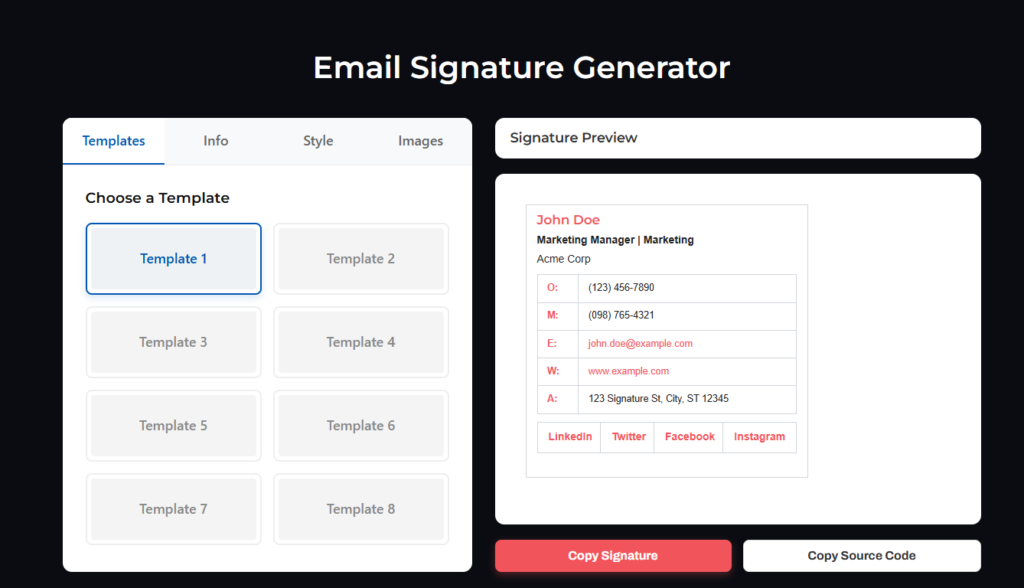
A powerful and elegant email signature generator for WordPress. Allow your users to effortlessly design professional email signatures using an intuitive, real-time preview interface.
Core Features
Design Signatures
in Real-Time
Create Signature is inspired by industry leaders like HubSpot, bringing a premium experience directly to your WordPress website. No coding required.
- 8 Distinct Templates: Choose from a variety of professional layouts.
- Live Preview: See changes instantly as you type.
- Full Customization: Adjust theme colors, text colors, links, font family, and size.
- One-Click Copy: Ready for Gmail, Outlook, Apple Mail, and more.
- 100% Private: No external API calls are made. Everything is generated locally in the browser ensuring compliance and privacy.
- Fully Responsive: Works flawlessly across all devices.
Quick & Easy Installation
Get up and running in minutes.
- Upload the
create-signaturefolder to the/wp-content/plugins/directory, or install it directly through the WordPress plugins screen. - Activate the plugin through the ‘Plugins’ screen in WordPress.
- Navigate to Settings > Create Signature in the admin menu for usage instructions.
- Add the shortcode
[email_signature_generator]to any page or post to display the generator.
Frequently Asked Questions
Everything you need to know about Create Signature.
Does it work with Gmail?
Yes! Just click the “Copy Signature” button and paste it directly into your Gmail signature settings. It’s fully compatible with Gmail, Outlook, Apple Mail, and other major email clients.
Are any external APIs used?
No. The plugin generates the HTML locally in the browser, ensuring your users’ data remains private. We do not track or send signature data to any external servers.
What are the minimum requirements?
The plugin requires WordPress 5.0 or higher and PHP 7.2 or higher. It has been tested up to WordPress 6.4.